
The first description.
“The two people left together in a silver Toyota 4Runner. One wore a red bandana with white sunglasses on her head. The other had a dark beanie and a green jacket.”
Vehicle described. No vehicle photo attached.
Residents and businesses call or message OneReport directly. It asks follow-up questions, collects evidence, and prepares reports, tips, or calls for service under your department’s rules.
A resident reporting a vehicle break-in.
When did you last see the car undamaged?
There’s a loud party in the backyard next door. Could an officer come out?
What is the address of the party?
1842 Oakview Drive in Sacramento.
Is the noise still going on, and when did it start?
Yes, it’s still going on. It started about an hour ago.
Are you aware of any fighting, threats, or anyone who needs medical help?
I haven’t seen fighting or heard threats. I don’t know of anyone who needs medical help.
Where are you, and what number can an officer use to contact you?
I’m at 1840 Oakview Drive, next door. You can call me at 916-555-0142. I’d like the officer to talk with me.
The noise is still ongoing, and the neighbor is requesting an officer to attend and contact them at 1840 Oakview Drive, next door.
OneReport establishes timing, incident details, and reported risk. Your department’s time thresholds, severity criteria, and response rules determine the CAD route.
“Someone robbed me.” OneReport asks whether the resident was present, how the vehicle was entered, and what was taken. The answers establish the facts behind the offense.
Multilingual interviews establish reporter relationship to distinguish reports from intelligence tips. Reported facts determine supported NIBRS and department penal-code mappings. Suspicious Activity Report (SAR) indicators and possible bias motivation or hate-crime indicators are surfaced for review.
Explore structured reporting“Were you there when it was taken?”
“No, I wasn’t. I found it, uh, missing this morning at 8 a.m.”
OneReport uses incident location, timing, severity, and response needs to take a call for service into CAD or an eligible report directly into RMS. Your department sets the criteria.
Your department’s configurationReview the classification, account, and evidence together. Resolve missing information, approve or decline the report, then export approved records and attachments to your connected RMS and DEMS.
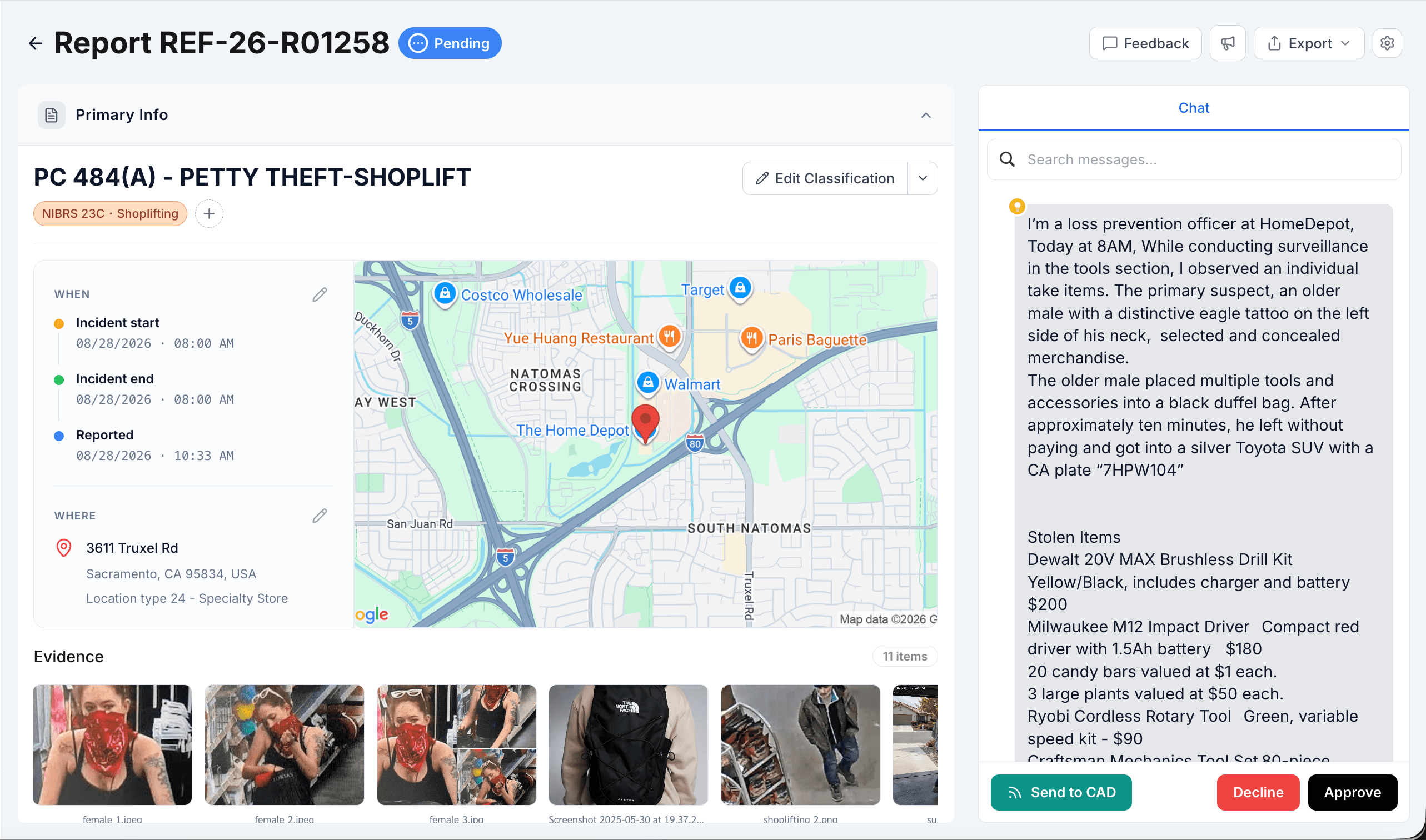
The account, classification, and supporting evidence. Together.
View full reportCheck offense mappings, required fields, and incompatible values before the record moves forward.
Review the account and evidence together. Approve or decline the report, with a history of each decision.
Approved records go to your configured RMS, with attachments sent to your DEMS and delivery status available to review.
A silver Toyota 4Runner in one account. Matching suspect descriptions in another. OneReport connects the reports and evidence that help investigators piece together organized retail theft.
“The two people left together in a silver Toyota 4Runner. One wore a red bandana with white sunglasses on her head. The other had a dark beanie and a green jacket.”
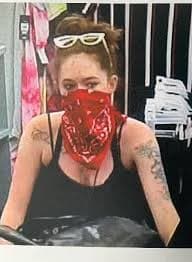
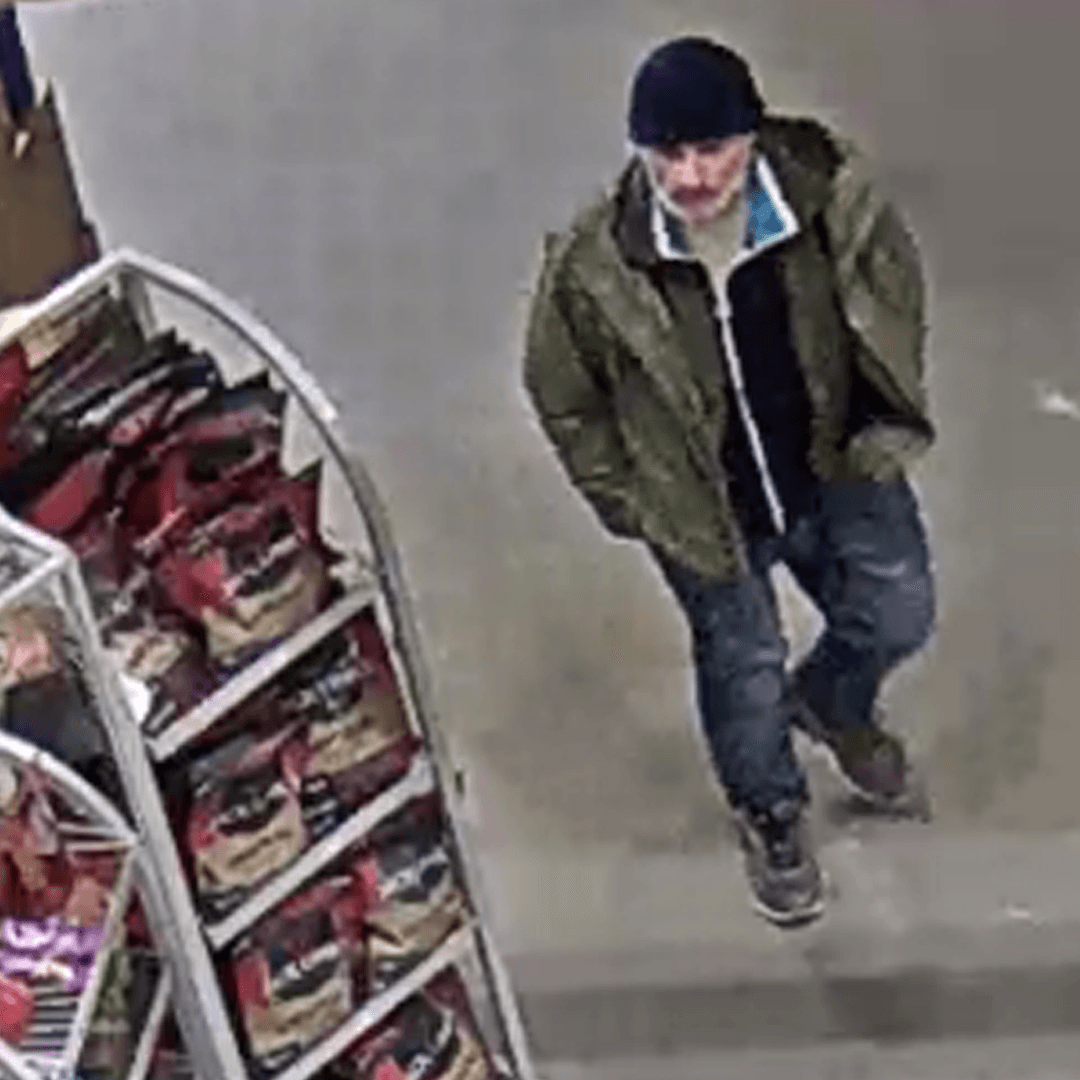
A second store reports a red bandana, white sunglasses, dark beanie, and green jacket.
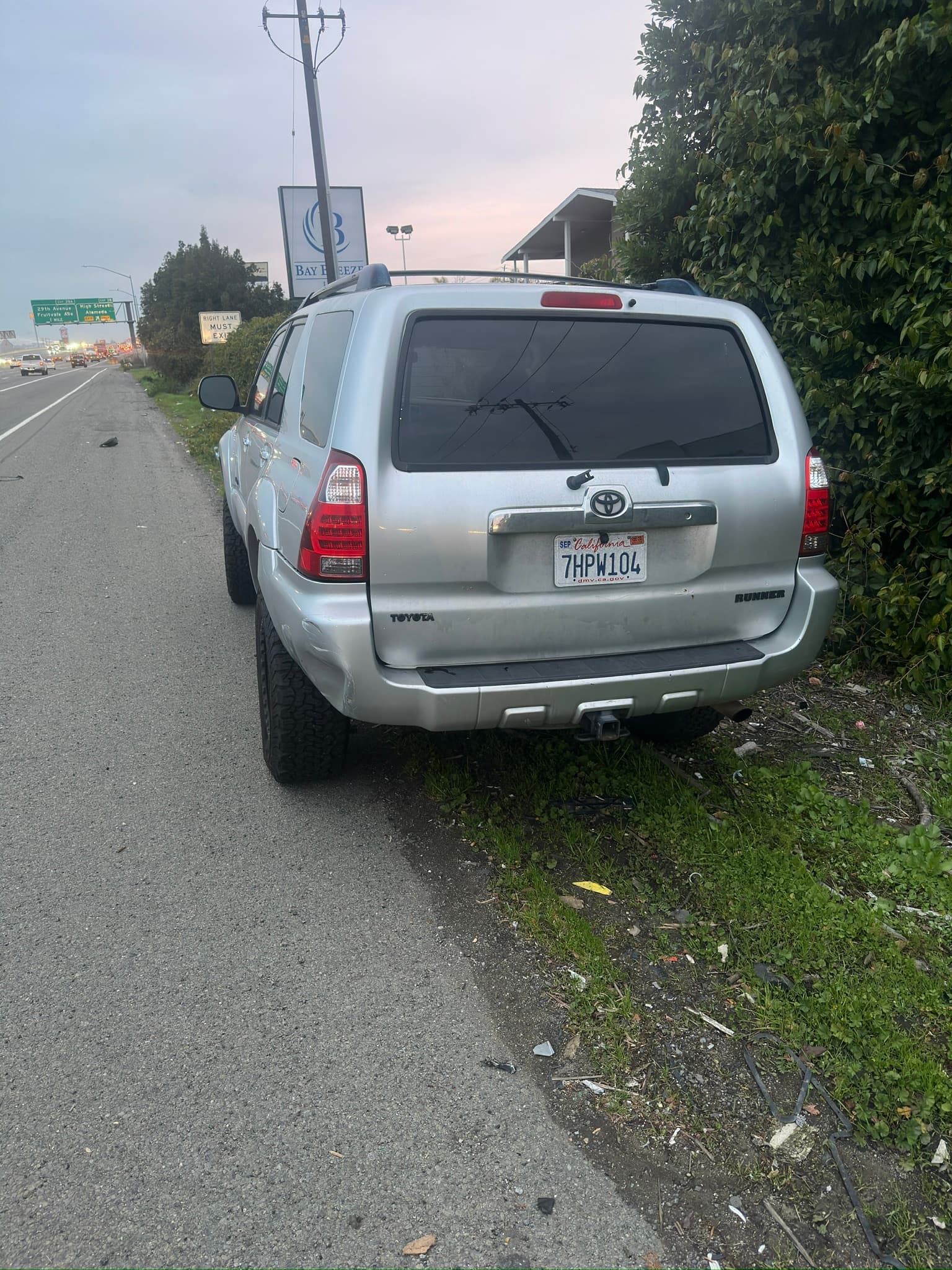
Two suspects described: red bandana and white sunglasses; dark beanie and green jacket. Both left in a silver Toyota 4Runner. California plate 7HPW104.
A written description. A photograph in another report.
Report 01 · Vehicle accountReport 03 · Vehicle photoEvery connection leads back to its source.
Explore the department workspace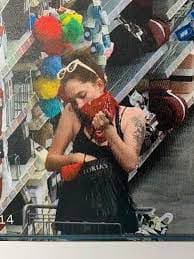
Store camera images · Report 02
Bulletin Studio turns a report, document, or pasted account into a structured bulletin. Add photos or video stills, refine the details, and send it to your distribution lists.
Revisions, delivery, and cancellations stay attached to the bulletin.
Explore Bulletin StudioChoose the report types you accept, the information you need, and where each call or report goes.
Department configurationAccepted offenses, jurisdiction routing, and referral rules.
Required details, follow-up limits, and department language.
Alerts for the places, offenses, and details your teams are watching.
New report matches your watchRetail theft · Silver Toyota 4Runner
Email + SMSApply your department’s timing, severity, and response rules, then enter calls for service into CAD with location, incident type, a call summary, and caller contact information.
Legal reasoning, department penal-code mappings, and built-in NIBRS validation prepare the report for your records workflow.
Transfer photos, video, and voice recordings into Axon Evidence.com.
Choose a time to discuss your department’s reporting workflow, or send us a message.

